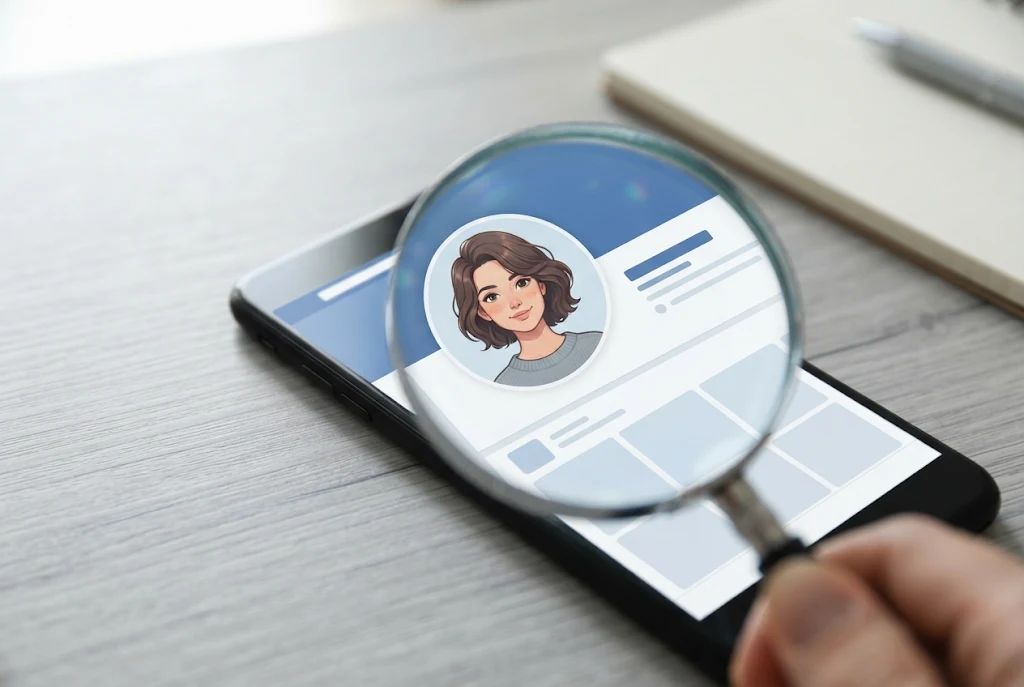
Instagram shows profile pictures as tiny circles, and tapping one usually opens that person’s story rather than a bigger image. Instazoom is a free, browser-based tool built around that gap. You type in a public Instagram username, and it shows the account’s profile picture (often called the “DP”, short for display picture) at the largest size Instagram keeps on its servers.
That’s the short answer. “Instazoom” isn’t one company or one official app, though. Several unrelated websites use the name, and they differ in what they offer, how many ads they run, and how carefully they treat your data. This guide covers what these tools actually do, what they can’t do, and how to use one without exposing yourself to scammy clones or legal trouble, which matters if you’re in Germany.
Instazoom in Plain Terms
An Instazoom site works like a viewer. It doesn’t need your Instagram login and it doesn’t install anything on your phone or laptop. Most versions follow the same pattern:
- A search box where you enter a username, such as
@examplebakery_berlin - A results page that shows the profile picture in a larger frame
- Often a download button, and sometimes extra tabs for posts or stories
People who use these sites are sometimes called “Instazoomers,” and the word is also used loosely for the tools themselves. Either way, the idea is the same: a bigger look at something that’s already public.
Why so many sites share the name
“Instazoom” became a popular search term, so several operators built sites around it under domains like .mobi, .me and others. Some describe themselves only as profile picture viewers. Others call themselves full Instagram viewers and downloaders covering photos, reels and stories. None of them is run by Instagram or its parent company, Meta.
This matters because a copycat site can look exactly like the one a friend recommended. We’ll come back to spotting the risky ones below.
How an Instagram DP Viewer Actually Works
There’s nothing mysterious about it. When you upload a profile picture, Instagram stores it in a few sizes and shows a small version in the app. An Instazoom-style tool:
- Takes the username you entered.
- Sends a request from its own server to fetch that account’s public profile data.
- Finds the largest copy of the profile picture Instagram makes available.
- Shows that copy to you, sometimes with a zoom slider or a download link.
Because the request comes from the tool’s server and not from your own Instagram account, the account owner doesn’t get a notification that you looked.
What “HD” really means here
Many of these sites promise “HD” or “full resolution” profile pictures. In practice, the tool can only show the biggest version Instagram has stored, and Instagram doesn’t keep profile pictures at very high resolution. If someone uploaded a small or heavily cropped photo, no viewer can make it sharper. Any extra “enhancement” is just upscaling, which can make the picture look softer or slightly distorted.
So if a zoomed profile picture looks blurry, the tool usually isn’t broken. That’s simply the best copy that exists.
What Instazoom Can and Can’t Do
This is where a lot of confusion starts, so here’s a straight comparison.
| Task | Possible with an Instazoom-type tool? | Notes |
|---|---|---|
| View a public account’s profile picture larger | Yes | This is the core feature |
| View the profile picture of a private account | Usually yes | Instagram keeps the profile photo visible even on private accounts |
| See posts on a private account | No | Any site claiming this should be treated as a red flag |
| View public stories without appearing in the viewer list | Some sites offer it | Only for public accounts, and only while the story is live (24 hours) |
| See private or Close Friends stories | No | That content is restricted by Instagram |
| Find out who viewed your profile | No | Instagram doesn’t share profile visitor data with anyone |
| Make a low-quality photo genuinely sharper | No | Upscaling isn’t the same as recovering detail |
About the “Instazoom Story” feature
Some Instazoom sites have a story tab. You enter a username and see that account’s current public stories. These tools fetch public content from their servers, so a private account’s stories stay out of reach, and so does anything shared with Close Friends. Expired or deleted stories can’t be recovered either.
If a site tells you it can unlock private stories once you “verify” by completing a survey, downloading an app or entering your Instagram password, close the tab. That pattern is a common way to harvest logins or push unwanted software.
Common Reasons People Use It (and Better Options for Some)
Most people who search for Instazoom aren’t up to anything shady. They’re curious or careful. Here are the typical cases:
- Checking a suspicious account. A “brand” messages you with a giveaway, or a stranger sends a follow request. Looking at the profile picture up close can show signs it was lifted from somewhere else, such as a watermark, odd cropping or a stock-photo look.
- Confirming you’ve found the right person. If two accounts have similar names, a clearer profile photo can help you pick the right one before you send a message.
- Seeing your own picture the way others see it. Some people zoom in on their own DP to check how the crop and quality come across.
- Business research. Marketers sometimes look at how competitors design their profile logos.
A tip most guides skip
If you’re trying to work out whether an account is fake, zooming in is only step one. Save or screenshot the profile picture, then run a reverse image search with a tool such as Google Lens. If the same photo turns up on a stock site or under a different name, you have a much stronger signal than a sharper image alone gives you.
And if you want a high-quality copy of your own profile photo, skip the viewer. Use the original file on your phone or computer. It’ll be better quality than anything Instagram has stored.
How to Use an Instazoom Tool Safely
If you decide to use one, these habits keep the risk low:
- Never enter your Instagram password. A genuine profile picture viewer only needs a public username. A login request is the clearest warning sign there is.
- Don’t install anything the site pushes. That includes browser extensions, “required” apps and files that download on their own.
- Ignore surveys and “human verification.” These pages make the operator money and add nothing to the tool.
- Be careful with ads. Many free viewers rely on aggressive pop-ups. A content blocker and a quick check of the address bar before you click anything both help.
- Remember the site can see you. Instagram doesn’t know you looked, but the tool’s operator can log your IP address and the usernames you search for.
Security scanners can give you a rough read on a specific domain. In January 2026, for example, the scanning service Gridinsoft rated instazoom.me as legitimate with a trust score of 72 out of 100. A score like that only means no obvious malware was found when it was checked. It doesn’t promise the site handles your data well, and ratings can change.
When an Instazoom Site Stops Working
These tools break often, and the reason is usually on Instagram’s side, not yours. Before you try another site, check these:
- Spelling of the username. Use the exact handle, not the display name. “Café Müller” might really be
@cafemueller_hh. - The account changed or disappeared. If someone renamed, deactivated or deleted their account, the tool will return an error or an old cached image.
- Temporary blocking. When Instagram limits a tool’s server, results can fail for hours. Waiting usually works better than hopping between five lookalike sites.
- Your browser setup. Strict tracker blocking or a VPN can stop some sites from loading results. Try a private window first.
If a site keeps failing and then suddenly asks you to “log in to continue,” that isn’t a fix. It’s the moment to leave.
Is Instazoom Legal? What Readers in Germany Should Know
This section is general information, not legal advice. For a specific situation, speak to a lawyer.
Looking at a public profile picture on your own screen is generally low risk. Problems tend to start with what happens after you view it.
Instagram’s own rules
Instagram’s Terms of Use on data collection say you can’t access or collect information in unauthorized ways, including collecting it automatically without Instagram’s permission. That rule mainly targets the people who run scraping tools rather than casual visitors, but it explains why these sites often break, change domains or vanish overnight. Instagram actively blocks scraping.
Personal image rights in Germany
Germany has strong protection for a person’s likeness. Under the Recht am eigenen Bild (§ 22 KUG), pictures of a person can generally only be distributed or shown publicly with that person’s consent, with limited exceptions. Copyright in the photo itself belongs to whoever took it.
In practical terms:
- Viewing a public profile picture privately: generally fine.
- Downloading someone’s photo and reposting it, using it in an ad, or putting it on a fake profile: likely to infringe their rights and could lead to warning letters (Abmahnungen) or damage claims.
- Using a zoomed image to harass, track or embarrass someone: a serious problem, legally and ethically.
A simple rule: if you wouldn’t feel comfortable doing it with the person watching, don’t do it with their photo.
How to Stop Others From Zooming In on Your Profile Picture
Switching your account to private won’t help here. Instagram keeps profile pictures visible to everyone, private accounts included. So the only real control you have is what you choose to upload. A few practical ideas:
- Use a photo that doesn’t show your face clearly, such as a side angle, a distance shot or an illustration.
- Avoid pictures with readable details in the background, like your street sign, school logo or car number plate.
- Upload a smaller or tightly cropped image so there’s less to zoom into.
- For business accounts, a logo is usually a better choice than a personal photo anyway.
The Bottom Line
Instazoom is a simple idea: a website that shows a public Instagram profile picture larger than the app allows. It works because profile photos are always public, and it can’t break through anything Instagram keeps private, whatever some clone sites claim. Use it for honest reasons like checking an account, keep your password to yourself, and treat any downloaded photo as someone else’s property. If your aim is to spot a fake account, pair the zoomed image with a reverse image search for a much clearer answer.
FAQ
Does the person know if I use Instazoom on their profile?
No. The request comes from the tool’s server, so Instagram doesn’t notify the account owner. The site you’re using can still log your activity, though.
Can Instazoom show photos from a private Instagram account?
It can usually show the profile picture, because Instagram keeps that public. Posts and stories on private accounts stay hidden, and tools that claim otherwise aren’t trustworthy.
Is Instazoom free?
Most Instazoom sites are free and supported by ads. Be cautious with any site that asks for payment, a survey or an app download before it shows results.
Why does the zoomed profile picture look blurry?
Instagram only stores profile pictures at a modest size. If the original upload was small, the zoomed version will look soft, and no viewer can add detail that isn’t there.