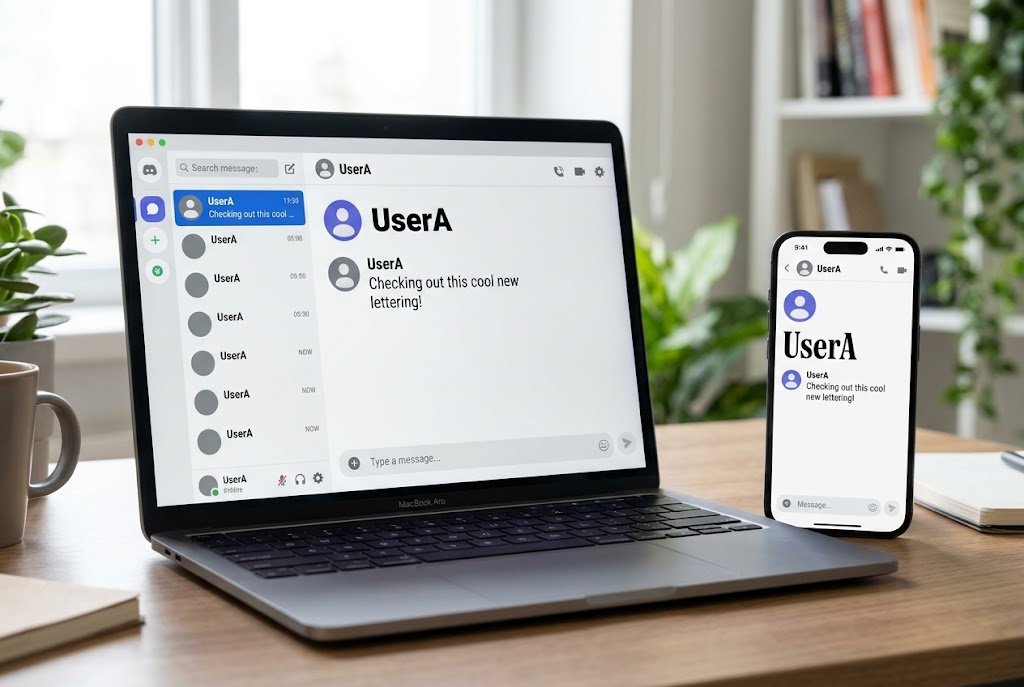
You can’t swap Discord fonts across the whole app or in every message you send, because no such setting exists. What you can change depends on where the text appears. Nitro subscribers can choose an official font for their display name. Anyone can use Markdown for bold text and headers in messages, or paste Unicode text from a Discord font generator into names and bios.
Each option has limits, and the wrong one can leave your name looking like a row of empty boxes on someone else’s phone. Below, you’ll find the steps for desktop and mobile, plus the small checks that save you from redoing it later.
Which Discord Fonts Method Should You Use?
Most confusion around Discord fonts comes from treating three different things as one feature. Start with what you actually want to change.
| What you want to change | Best method | Cost | Where it works |
|---|---|---|---|
| Your display name, using an official style | Display Name Styles | Nitro required | Profile, DMs, servers (font only in servers) |
| A word or line in a message | Markdown | Free | Messages |
| Your display name, nickname or bio | Unicode text | Free | Most text fields, except your @username |
| A server or channel name | Unicode text | Free | Needs the right server permissions |
| How large chat text looks to you | Chat font scaling | Free | Your own device only |
Why Discord Fonts Work Differently From Other Apps
Discord’s interface uses a custom typeface called gg sans, which started rolling out across its apps, website and blog in December 2022. There’s no menu for replacing it with Arial, Comic Sans or anything you’ve installed on your computer.
That explains why most “fonts for Discord” aren’t really fonts. They’re special characters that look like styled letters, and Discord displays them the way it displays an emoji or a letter from another alphabet.
So when a site promises hundreds of Discord fonts, it’s really offering sets of lookalike characters. That isn’t a scam, but it does explain why these styles work in some places and break in others.
How to Change Discord Fonts for Your Display Name With Nitro
Display Name Styles is the only official way to give your name a different typeface. Discord’s help page currently lists 12 fonts and 7 effects, including Tempo, Sakura, Medieval, 8Bit and Vampyre, along with color options. It’s a Nitro feature, so you’ll need an active subscription to use it.
On Desktop or in a Browser
- Click your username in the bottom-left corner to open your profile card.
- Select Edit Profile.
- Under Display Name Style, press the + button.
- Choose a font, effect and color.
- Preview it in both light and dark mode, then save your changes.
On iPhone or Android
- Tap the You bar at the bottom of the screen.
- Tap Edit Profile.
- Under Display Name Style, tap Font, Effect or Color.
- Tap Apply to save.
Menu labels can shift when Discord updates its apps, so if yours looks different, start from your profile and look for Edit Profile.
What Other People Will Actually See
This part catches a lot of people out, especially if they pick a style for its color. Your full style appears on your profile and in DM and group chat member lists, but inside servers only the font shows. Discord replaces the color and effect with your role color or role style there.
Mobile also shows styles without animation, and anyone can turn off Display Name Styles in their Accessibility settings. If you’re buying Nitro mainly for an animated effect, keep in mind that many people in a server will never see it. You can also set a different style for each per-server profile, which helps if you want something playful among friends and something plainer in a work community.
How to Format Discord Messages With Markdown
Markdown doesn’t change the typeface. It changes how gg sans appears, and for everyday messages that’s usually all you need. Type these symbols around your text on desktop or mobile:
| Effect | What to type |
|---|---|
| Bold | **text** |
| Italics | *text* |
| Bold italics | ***text*** |
| Underline | __text__ |
| Strikethrough | ~~text~~ |
| Large header | # text |
| Medium header | ## text |
| Small header | ### text |
| Small gray subtext | -# text |
Headers and subtext need to sit at the very start of a line, followed by a space. If you type #text without the space, Discord will show it as plain text.
On desktop, you can also highlight text in the message box and use the small formatting toolbar that appears. It’s a good backup when you can’t remember the symbols.
Use Markdown for anything people need to read quickly, such as rules, announcements and event details. It keeps the text as normal letters, so members can search for it and copy it without any strange characters coming along.
What About Colored Text?
Markdown has no color option, but messages can show colored text through a code block that uses ANSI color codes. The codes are awkward to type by hand, so most people build them with a free online tool and paste the result. Color may not display the same way on every device, so test it on a phone before using it in an announcement.
How to Use a Discord Font Generator for Free
If you want free Discord fonts for a cursive name or gothic server title, a generator is the usual route. You don’t need to install anything or log in.
On Desktop
- Open a Discord font generator in your browser.
- Type your text and pick a style.
- Copy the result.
- In Discord, open your profile card and select Edit Profile.
- Paste the text into the Display Name field and save.
On Mobile
- Open the generator in your phone’s browser.
- Type your text, then tap the style to copy it.
- Open Discord, tap the You bar and tap Edit Profile.
- Paste it into the Display Name field and save.
For a name that only applies in one server, use your per-server profile instead. On desktop, right-click your avatar in any text channel and choose Edit Per-server Profile. On mobile, look for the same option in the server’s menu.
Where Unicode Discord Fonts Work
The one place it won’t work is your @username. Discord limits new usernames to lowercase Latin letters, numbers, underscores and periods. Your display name is much more flexible, but it’s capped at 32 characters.
Server names and channel names can use Unicode text too, but you’ll need permission to manage them. Before you restyle a whole server, test one channel and check it on both a computer and a phone.
Which Discord Fonts Suit Each Spot?
The best style depends on how often people need to read the text. A name gets glanced at, while a rules channel gets read closely. This rough guide works for most servers:
| Where it appears | Good choice | Why it works |
|---|---|---|
| Display name | Bold or small caps | Stands out but stays readable |
| Bio or About Me | One styled heading line | Adds personality without making the bio hard to scan |
| Server name | Bold or a simple serif style | Stays legible at a small size |
| Channel names | Plain text | Easier to find, search and hear with a screen reader |
| Announcements | Markdown headers and bold | Uses normal letters that everyone can read |
Gothic, bubble and heavily decorated Discord fonts are fun for a short nickname. They get tiring in anything longer than a few words, so keep them for small touches.
Problems to Check Before You Commit to a Style
Discord fonts can look perfect on your screen and still cause trouble elsewhere. These are the checks worth doing first:
- Empty boxes: Some older phones may not show every Unicode character in the Discord app. One server admin reported this happening on members’ phones with channel names, even though the same characters worked in a mobile browser. Stick with common styles, such as bold or small caps, if your community uses a mix of devices.
- Screen readers: Styled letters can be read out as symbol names or skipped. Avoid them for channel names and anything members need to understand, especially rules and support channels.
- Search: A name written in lookalike characters may not match when someone searches for it with a normal keyboard. Your @username still gives people a dependable way to find you.
- Server rules: Some communities don’t allow decorated nicknames because they’re hard to read or mention. Check the rules first, since a moderator may reset yours.
- Keeping your plain name: Save your original name in a note before you replace it. Converting fancy text back by hand gets annoying fast.
A sensible middle ground is to style only one part of your name. Something like a bold first name with plain text after it is easy to read and still stands out in the member list.
Discord Fonts Not Showing Correctly? Try These Fixes
If your change doesn’t appear the way you expected, work through these in order:
- Check for a server nickname. Server nicknames take priority over display names, so your new name may not show in that server until you edit or clear the nickname.
- Check where you pasted it. Markdown symbols such as asterisks show up as plain symbols in names and other fields that don’t support formatting.
- Update the app. An older app version may display some characters or styles differently, so install any available update.
- Try a simpler style. If you or a friend sees boxes, switch to a more common character set rather than troubleshooting that one style.
- Check the Accessibility toggle. If you can’t see Display Name Styles, including your own, make sure the feature hasn’t been turned off in your Accessibility settings.
Stay Away From Discord Font Mods and Downloads
You’ll find tutorials that promise to replace gg sans using a modified Discord client, custom CSS or a downloaded font file. Be careful with these. Modified clients can put your account at risk under Discord’s rules, and unknown downloads are a common way to pick up malware.
Copy-and-paste Discord fonts are lower risk because you’re only copying text. Even so, you shouldn’t need to enter your Discord password, connect your account or install anything. If a site asks for any of these, close it and use a different one.
Also skip sites offering a gg sans download for your own designs. Discord says gg sans isn’t open source and can’t be used in personal projects. If you’re making a server banner or logo, a free font such as Inter from Google Fonts can give you a similar clean look.
How to Make Discord Text Bigger or Smaller
Sometimes the real complaint isn’t the font’s style. It’s that the text is hard to read. On desktop, go to User Settings, open Appearance and adjust Chat font scaling. This changes the size of the text on your screen only, so it won’t change Discord fonts for anyone else.
Mobile options vary. Look for a similar setting under Appearance in the app. If you don’t see one, your phone’s system text size may be the setting to change.
The Simple Way to Decide
For Discord fonts, choose the lightest method that gets the job done. Use Markdown for messages, Unicode text for a free styled name, and Display Name Styles if you want an official look and already pay for Nitro.
Before you finish, ask a friend on another device to check your name or channel. That one quick look will tell you more than any preview on your own screen.
Frequently Asked Questions
Can you change Discord fonts for free?
Yes, within limits. Markdown is free for formatting messages, and Unicode text from a generator is free for display names, nicknames and bios. Discord’s official font picker for display names requires Nitro.
Can other people see the font I use?
Yes. Everyone can see Markdown formatting, and Unicode characters appear for others as long as their device supports them. Display Name Styles appear for others too, unless they’ve turned the feature off.
Why won’t a fancy font work in my Discord username?
Usernames only accept lowercase Latin letters, numbers, underscores and periods, so Discord rejects styled characters there. Put your styled text in your display name or server nickname instead.
Do Discord fonts work on mobile?
Yes. Display Name Styles, Markdown and Unicode text all work on phones, although animated name effects appear static and some Unicode styles may show as boxes on older devices.
Can I change the font for my whole Discord app?
Not with an official setting. Discord uses gg sans throughout the app. You can adjust the text size, but changing the typeface everywhere would require unofficial modifications, which aren’t worth the risk to your account.