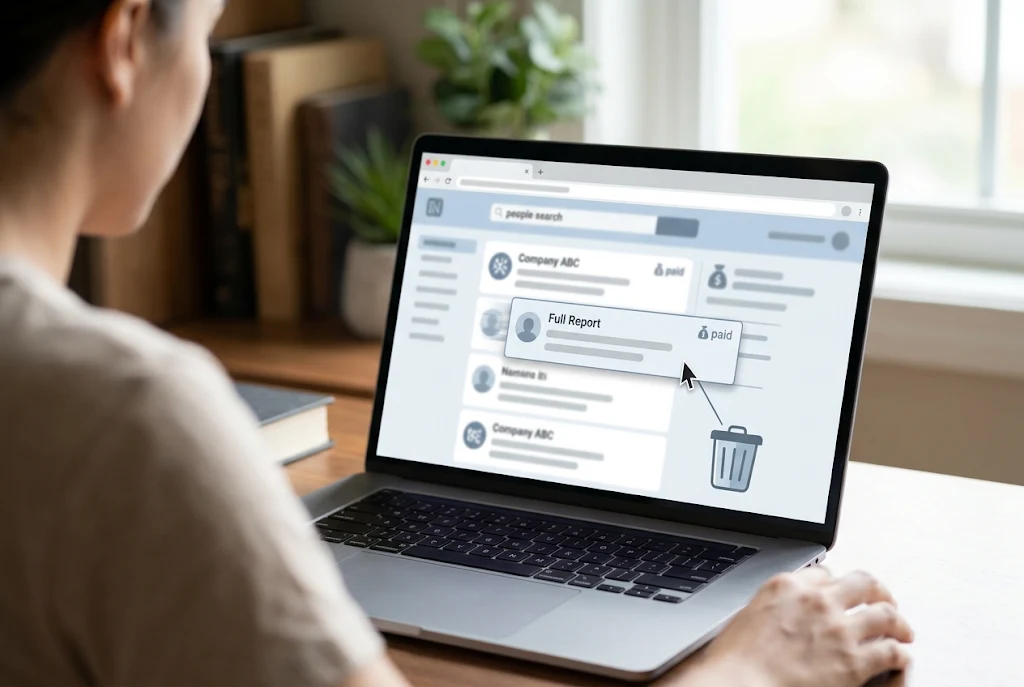
You removed your free Whitepages listing and thought you were finished. Then you searched your name again and found a “View Full Report” button offering your background details to anyone willing to pay. That button leads to a Whitepages Premium report, and it’s the part of the White Pages opt out that most people miss.
The short answer: start with the standard opt-out form at Whitepages, confirm the removal by phone, then wait about 72 hours. If a Premium report still shows up under your name, file a support request with Whitepages, choose “I need to edit or remove a listing,” and paste in the Premium report’s URL. Removal guides updated in 2026 say Premium requests are usually handled within 48 to 72 hours after you verify by email. You don’t need to buy a subscription to get any of this done.
The rest of this guide covers each step, the snags that trip people up, and what happens if your details come back.
What a Whitepages Premium Listing Actually Shows
Whitepages runs two layers of data. The free directory is the basic public profile. Premium is a paid subscription that unlocks fuller background reports on the same people.
| Free (standard) listing | Premium report | |
|---|---|---|
| Who can see it | Anyone, free | Paying subscribers |
| Typical details | Name, current city, partial address, landline, some relatives | Fuller contact info, address history, property data, and criminal and traffic records where available |
| Button on search results | “View Details” | “View Full Report” |
| How you remove it | Opt-out form plus phone verification | Usually covered by the standard opt-out, otherwise a support request with email verification |
The exact fields vary from person to person and change as Whitepages updates its records. Treat the table as a guide to the difference between the two layers, not a promise of what your own report contains.
The button label is the detail that matters most. The standard opt-out form needs your standard profile URL, the one behind “View Details.” If you copy the “View Full Report” link and paste it into the free opt-out form, you’re likely to get an error or end up on a subscription checkout page.
Does the Standard White Pages Opt Out Cover Premium Too?
Sometimes. As of 2026, the major privacy guides don’t agree.
- Several removal services report that Whitepages now runs standard and Premium removals through the same privacy process, and that the Premium teaser usually disappears once the standard listing is gone.
- DeleteMe notes that the old premium.whitepages.com address now redirects to the main site, which suggests the two products have been merged on the front end.
- Other guides still treat Premium as a separate dataset, and older instructions described Premium removal as its own process.
So the realistic answer is to do the standard removal first and then check. If the Premium report disappears along with it, you’re done. If it doesn’t, you go to step three below. That order saves you from filing a support ticket you might not need.
Before You Start: Five Minutes of Prep
A little setup makes the White Pages opt out go much more smoothly, especially if you’ve moved a few times.
- Search your name plus every city you’ve lived in. Each address, phone number and name spelling can create a separate listing with its own URL.
- Open a notes file. Paste every standard listing URL and every Premium report URL you find, along with the date.
- Pick a phone you can answer. The standard form verifies you with an automated call. If you use call screening or spam blocking, turn it off for a few minutes.
- Decide which email to use. The Premium support request asks for one. Some people use a separate or masked inbox so their main address doesn’t get tied to the request.
- Take a screenshot of each listing. If a profile comes back later, you’ll have proof of what was removed and when.
Step 1: Remove the Standard Listing
- Go to Whitepages.com and search your name and city.
- Find your profile and click View Details, not “View Full Report.”
- Copy the full URL from your browser’s address bar.
- Open the official Whitepages suppression request page and paste the URL in.
- Confirm the listing is yours, then click Remove Me.
- Pick a reason from the dropdown. “I just want to keep my information private” is a perfectly good reason.
- Enter your phone number, tick the confirmation box, and answer the automated call. Enter the code shown on your screen.
Most guides updated in 2026 say a confirmed standard removal clears within 24 hours, and sometimes within an hour. If you have more than one listing, repeat the whole process for each URL. Removing one doesn’t remove the rest.
Step 2: Check for a Premium Report About 72 Hours Later
Give it three days, then search again from a private or incognito browser window. Logged-in sessions and browser caches can show you an old version of the page.
You’re looking for two things:
- Your standard profile: it should be gone or show as unavailable.
- Any “View Full Report” or “Powered by Whitepages Premium” result that still matches your name, age and city.
If there’s no Premium result, skip to the section on search engines. If there is one, right-click the button, choose “Copy link address,” and save that URL in your notes.
Step 3: Send a Premium Removal Request
This is the dedicated Premium step, and it runs through Whitepages’ help desk instead of the automated form.
- Open the Whitepages support request form.
- From the dropdown, choose I need to edit or remove a listing.
- Enter the email address you picked earlier.
- Paste the Premium report URL into the “Listing URL” field.
- Fill in your name, city and state exactly as they appear on the listing. If the report says “Jon A. Smith, Tulsa, OK,” type it that way, even if you normally go by Jonathan.
- Add a short subject and description, complete the CAPTCHA, and submit.
- Watch your inbox, including the spam folder, and click the verification email when it arrives.
A plain description works best. Something like this:
Please remove my Whitepages Premium listing for privacy reasons. I have already completed the standard opt-out. Listing URL: [paste URL]. Name as listed: [name], [city, state].
Mentioning that you’ve already done the standard opt-out helps the support agent see the whole picture without asking you for it.
How Long Each Part Takes
Here’s what to expect at each stage of a White Pages opt out.
| Request type | Verification | Typical timeline reported in 2026 guides |
|---|---|---|
| Standard opt-out form | Automated phone call | Within 24 hours, often faster |
| Premium support request | Email link | Around 48 to 72 hours |
| Manual help desk ticket (form problems) | Agent reply | A few business days |
These are reported timelines, not guarantees. Whitepages changes its process from time to time, and a busy support queue can slow things down.
Do You Have to Pay for Premium to Remove It?
No. Older tutorials, some from a few years back, said you needed a Premium membership to see and remove the paid data. Current guides say you don’t need to subscribe to opt out, and you don’t need to cancel anything either.
If you did sign up for Premium at some point, through a trial for example, canceling that subscription is a separate task in your account settings. Canceling a subscription doesn’t remove your own listing, and removing your listing doesn’t cancel a subscription.
Common Snags and How to Get Past Them
Most White Pages opt out problems come down to one of these.
The form says your URL is invalid. You’ve probably copied a Premium or search-results link. Go back, click “View Details,” and copy that URL instead.
The verification call never arrives. Check whether a spam filter or call-blocking app is silencing unknown numbers. If the call still doesn’t come through, use the support form and ask for a different way to verify.
You can’t find the right profile. Common names can produce dozens of near-identical results. Match the age, past addresses and listed relatives before you click Remove Me, so you don’t hide a stranger’s listing and leave your own in place.
You want to remove a relative’s listing. The standard process is built for removing your own information. Removing someone else’s listing usually takes a support request explaining your relationship and authority. For a parent who has died, for example, the help desk is the place to start.
Your listing came back months later. This happens. Whitepages refreshes its data from phone company and public-record sources, so a new phone number or move can create a fresh profile. Set a calendar reminder to check every few months.
Gone From Whitepages but Still on Google?
Search engines keep cached copies of pages, so a removed listing can still appear in results for days or even weeks. That isn’t a sign your request failed. The old snippet usually drops off once Google or Bing crawls the page again and finds it gone. Asking a search engine to remove outdated content is a separate process from the White Pages opt out itself.
An Extra Option for California Residents
If you live in California, you have a broader tool. The state’s Delete Request and Opt-out Platform (DROP) launched on January 1, 2026, and the state privacy agency says it lets residents send one request to over 600 data brokers asking them to delete and stop selling their personal information. Registered brokers have had to process those requests since August 1, 2026.
DROP only reaches companies that are registered as data brokers in California, so check the state registry rather than assuming any particular site is covered. It’s a good complement to a manual White Pages opt out, not a replacement. Residents of other states with privacy laws, such as Virginia, Colorado and Connecticut, can still send requests to companies directly, but there’s no central tool like DROP outside California yet.
What a White Pages Opt Out Won’t Do
It’s worth being realistic about the limits:
- It removes your listing from Whitepages and, according to removal guides, from sister sites built on its data. It doesn’t touch unrelated people-search sites like Spokeo, BeenVerified or Intelius.
- It doesn’t erase the original public records, such as property deeds or court filings, held by government offices.
- It isn’t permanent. New data can create new profiles.
If your concern is safety rather than general privacy, for example if you’re dealing with harassment or stalking, removing listings is only one layer. A local victim advocate or attorney can help with protective orders and address confidentiality programs that offer stronger protection.
Final Takeaway
A complete White Pages opt out for Premium comes down to a few moves. Do the standard removal first, wait about three days, and search again from a private window. If a “View Full Report” result is still there, send the Premium support request with that URL and verify by email. Keep a list of your URLs and dates, and check back every few months. That small habit catches re-listings before anyone else does.
FAQ
Is the Whitepages Premium opt-out free?
Yes. Both the standard form and the Premium support request are free, and you don’t need a subscription to use either one.
How do I know if my result is a Premium listing?
Premium results usually show a “View Full Report” button or a “Powered by Whitepages Premium” label. Standard profiles use a “View Details” button.
Will removing my Premium listing remove me from Google?
Not right away. Search engines may keep showing cached results until they crawl the page again. Removing pages from search results is a separate process.
Why did my information reappear after I opted out?
Whitepages updates its records from phone and public-record sources. A move, a new number or a different spelling of your name can create a new listing that needs its own removal.