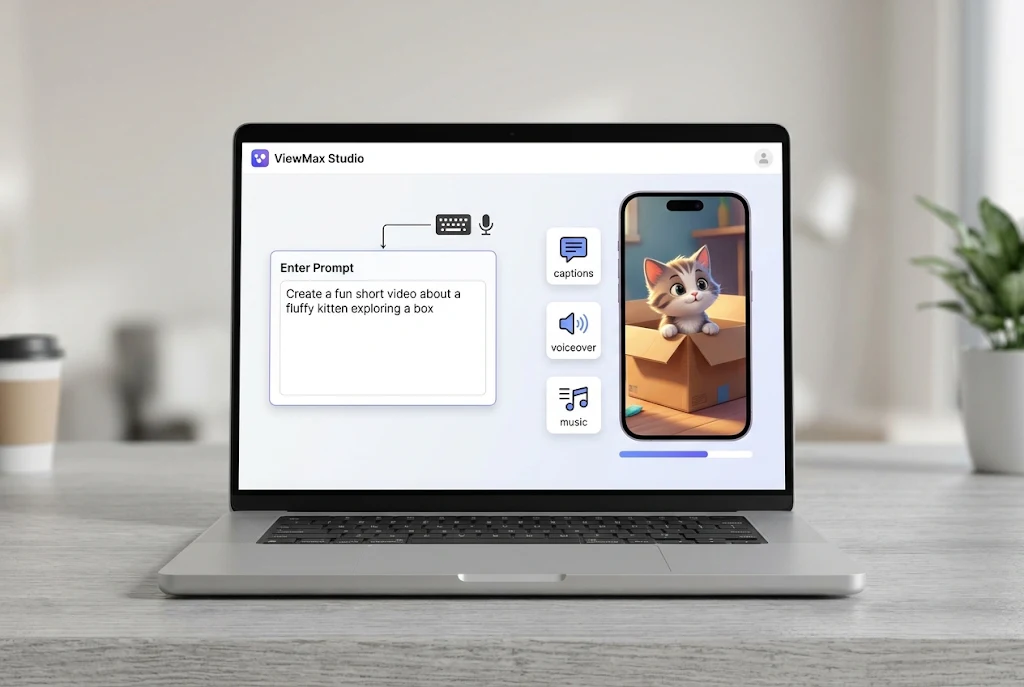
ViewMax Studio is a browser-based AI video generator that turns a written prompt or a full script into a short, ready-to-post video. Its main model, ViewMax Agent 2.0, can plan a shot list, render the scenes, add English narration and music, and place on-screen text in one pass. The output is sized for YouTube Shorts, TikTok, Instagram Reels, or standard widescreen video.
It’s aimed at people who need video but don’t have a camera crew or an editor. That includes solo creators running faceless channels, marketers testing ad ideas, and small businesses that need a product clip by the end of the week.
Below, you’ll find how it works, what it costs, where it falls short, and one naming mix-up worth knowing about before you sign up.
ViewMax Studio at a Glance
Here’s a quick summary based on the tool’s official website as of November 2026. Details like prices and model names change often with new AI tools, so check the site before you buy.
| Detail | What you get |
|---|---|
| Type | Prompt-to-video generator (plus image generation) |
| Where it runs | In the browser; nothing to install on Mac, Windows, or Linux |
| Video models | Seedance 2 Mini, H3 Max, H3 Max Turbo, ViewMax Agent 2.0 |
| Image models | Nano Banana 2, Nano Banana Pro, GPT Image 2 |
| Formats | Vertical (9:16) and wide (16:9), plus some 3:4 and 4:3 options |
| Resolution | 480p up to 1080p |
| Free trial | 100 credits on signup, no card required |
| Watermark | None, including on free credits |
| Commercial use | Allowed on every plan and credit package |
| Extras | Public prompt gallery, REST API, and MCP server |
How ViewMax Studio Works
The process is simple, which is the whole point. You don’t touch a timeline or drag clips around.
- Write a prompt or paste a script. Plain English works. Something like “a 30-second explainer on why sourdough needs a starter” is enough. Scripts can run up to 5,000 characters.
- Choose a model, aspect ratio, and length. Vertical for short-form platforms, wide for YouTube or landing pages.
- Check the credit cost. The price in credits shows on the render button before anything runs.
- Render and download. The finished MP4 lands in your history. If a render fails, the credits go back to your balance automatically.
Single-Shot Models vs. ViewMax Agent 2.0
This is the part most people miss, and it changes what you’ll get back.
Most models on the platform, like H3 Max Turbo or Seedance 2 Mini, treat your prompt as a description of one shot. You get a single continuous clip of what you described. According to the site’s FAQ, these models don’t add captions, so subtitles become a job for your editing app.
ViewMax Agent 2.0 works differently. Give it a topic or a script and it writes its own shot list, renders the scenes, cuts between them, and adds English narration and background music. The site says these sequences run up to about a minute.
A couple of limits are worth knowing:
- The Agent picks the voice itself. You can’t choose a specific voice in settings.
- It can’t produce a silent version.
- There’s no draft stage. It plans and renders in one go, so you won’t approve the script before credits are spent.
Practical tip: If you only want a single b-roll shot for a video you’re editing elsewhere, use one of the cheaper single-shot models. Save the Agent for when you want a finished, narrated piece.
What Can You Make With It?
The tool is built around short-form content. These are the main uses it’s designed for:
- Faceless YouTube Shorts and TikToks. Narrated vertical videos with no camera and no voice recording of your own.
- UGC-style ads. Creator-style product clips with a spoken hook. There’s no separate “ad mode.” You describe the creator, the product, and the angle in your brief.
- Product and landing page clips. Short loops that sit near the top of a sales page.
- Explainer clips. Short motion-graphics shots to drop into a longer explainer.
- Story and narration videos. Scene-by-scene visuals for story channels.
- Internal training. Onboarding or policy explainers when nobody wants to be on camera.
Here’s a realistic example. A small skincare brand wants to test which ad hook works best on Instagram. Instead of booking a creator for one filmed shoot, it writes eight short briefs with different opening lines, renders them, and runs them as small paid tests. The weaker versions cost only credits. That’s the kind of job this tool fits well.
Where It’s the Wrong Tool
The company is upfront that ViewMax Studio isn’t meant for anything that has to show something real. Avoid it for:
- Customer testimonials
- Videos of your actual team or office
- Your physical product being used in real life
Faking those with AI is misleading to viewers, and it can create trouble with ad platforms and consumer protection rules. You also don’t get frame-by-frame art direction. You steer the model with words; you don’t draw the shot.
How Much Does ViewMax Studio Cost?
Pricing uses credits. Each clip costs a set number of credits depending on the model, length, and resolution, and you see the cost before rendering.
| Plan | Monthly billing | Yearly billing (per month) | Credits per month | Rough clip count |
|---|---|---|---|---|
| Basic | $39 | $19.50 ($234/year) | 5,000 | About 200 |
| Pro | $69 | $34.50 ($414/year) | 10,000 | About 400 |
| Max | $119 | $59.50 ($714/year) | 20,000 | About 800 |
Basic uses standard models, while Pro and Max unlock all models. Max also gets new model releases. Every plan shares one queue and allows one active job at a time.
A few billing details that are easy to overlook:
- Free credits are a taste, not a trial month. The 100 signup credits cover roughly one 5-second clip on the fastest model.
- Subscription credits don’t roll over. Unused monthly credits expire at renewal.
- One-time credit packs never expire. They range from $29 for 2,000 credits to $249 for 30,000.
- No lifetime deal. Be wary of any site selling one.
- Refund window is short. For unspent credits, the site says to email support within 7 days of payment.
The “about 200 clips” figures assume short, cheaper renders. Longer Agent sequences at 1080p will use more credits each, so a heavy user will burn through a plan faster. Use your free credits to see real costs before committing to a yearly plan.
Always confirm current numbers on the ViewMax Studio pricing page, since new tools adjust prices often.
ViewMax Studio vs. Viewmax.io: Not the Same Thing
This is where many people get confused. There’s another AI short-form video platform called Viewmax, found at viewmax.io. It’s a separate product with its own plans and features. At least one competitor comparison page explicitly describes viewmax.studio as a different, unrelated product.
To make things more confusing, several unofficial “review” pages target both names at once. Some exist mainly to capture search traffic.
Before you enter payment details:
- Check that the address bar shows the domain you actually meant to visit.
- Don’t sign up through links on sites you don’t recognize.
- Compare the pricing you see with the official pricing page.
The official ViewMax Studio site, as of this writing, is viewmaxstudio.net.
Can You Monetize ViewMax Studio Videos?
On the licensing side, yes. Every plan and credit pack includes a commercial license, with no per-project fee and no attribution requirement. That covers client work, ads, courses, and monetized channels.
Platform rules are a separate matter, though. YouTube doesn’t block monetization just because a video was made with AI. What it does target is mass-produced, repetitive content that looks the same from upload to upload. Its channel monetization policies apply to your channel as a whole, so a batch of low-effort videos can affect monetization across the entire channel.
YouTube also asks creators to disclose realistic content that’s altered or synthetic. In practice, that means:
- Write your own scripts and add a real point of view.
- Vary formats instead of pumping out near-identical clips.
- Don’t build videos around characters or brands someone else owns.
- Use YouTube’s disclosure settings when your video looks realistic.
Pros and Cons
What works well:
- Very low learning curve; plain-English prompts are enough
- Credit cost shown before you render
- Failed renders refund automatically
- No watermark, even on free credits
- Commercial license included across plans
- API and MCP access for developers who want to automate rendering
What to keep in mind:
- It’s a new tool with very little public user feedback so far
- Free credits only cover about one short test clip
- Monthly subscription credits expire at renewal
- The Agent’s voice can’t be chosen and narration is English only
- Single-shot models don’t add captions
- Only one job can run at a time, even on the top plan
Who Should Try It?
ViewMax Studio makes the most sense if you publish short-form video regularly and never planned to film it yourself. Faceless channel owners, solo marketers, and small e-commerce stores are the clearest fit.
It’s a weaker choice if you need precise control over every frame, non-English voiceovers, or long-form videos well over a minute. In those cases, you’ll likely still need a traditional editor, possibly using ViewMax clips as raw material.
The smart first step is cheap: sign up, spend the free credits on one prompt that matches a real project, and judge the result before paying for anything.
Frequently Asked Questions
Is ViewMax Studio free?
Not fully. New accounts get 100 free credits with no card required, which is enough for about one 5-second clip on the fastest model. After that, you’ll need a paid plan or a credit pack.
Does ViewMax Studio add a watermark?
No. According to the company, videos export without a watermark or logo, including those made with free signup credits.
Do I need to install anything?
No. It runs in a web browser, so it works on Mac, Windows, and Linux without downloads.
Does it write the script for me?
ViewMax Agent 2.0 can write its own script from a topic, or work from one you paste in. The other models only render the single shot you describe.
Is ViewMax Studio the same as Viewmax.io?
No. They’re separate products with similar names. Check the domain before signing up or paying.